We live much of our lives online. From work to shopping to socializing with friends, the internet has changed how we operate. No surprise, then, that more and more friends and family members of expectant parents are looking to host virtual baby showers online, too and are looking to answer questions like who pays for an online shower, are the rules different?
We offer an online shower to avoid many of the pitfalls of a Facebook baby shower, like having your guests served ads, show up in google search (see below!), and no games built-in, and no support staff (ever tried to actually talk to Facebook?) but if you’re going to do it, here is how to do it right.
Throw a Virtual Baby Shower with All the Bells and Whistles That Facebook Can’t Offer!
• Free Trial – 7 Day Refund for any reason
• Only 1 Minute Setup!
• 20+ Custom Themes & Matching Invites
• Use Any Online Registries You Want
• Send Unlimited Matching Invites and Updates
• Private Video Hosting for everyone
• Baby Shower Games with Scoreboards, Give Prizes!
Facebook Baby Shower Guide from WebBabyShower.
Where does one even begin with planning a Facebook baby shower? It’s simple. Focus on two main components: traditional logistics and Facebook logistics – or modern logistics, if you will.

Traditional Logistics
Like any traditional baby shower, you first need to determine a date and time (or range of dates and times) that you’d like to host your Facebook baby shower. Then, compile a list of invitees, confirm all the mommy-to-be’s registry information, and finalize the run of show for the shower.
Facebook Tech Logistics
Now it’s time for the fun stuff. Here are the key questions to ask yourself before going “live” with your Facebook baby shower.
Facebook Access: Do all of your guests have Facebook? If yes, make sure you are friends with all of them so you can easily invite them to your event. If not everyone on your list has Facebook, ask them to sign up or see if another guest can invite them to share their screen (literally) during the shower.
Shower Style: How do you want to “host” the shower? Do you want to make it a “live” shower where all guests are logged on and interacting at the same time? Or, do you prefer to have a multi-day shower where guests can drop in and leave comments at their leisure? If you’re set on a “live” shower, make sure your guests know the date and time so they can set aside the time.
Invitations: Say “sayonara” to the stress of choosing, addressing, stamping, and mailing traditional baby shower invitations! For a Facebook baby shower, a simple Facebook message and invitation to the event itself will suffice. Be sure to send a “save the date” message if you’re looking to host a “live” shower at a specific date and time. Or you can set up the event on Facebook and send those invitations well in advance so, your guests can plan ahead, according to baby shower etiquette.
Facebook Messenger: Speaking of Facebook Messenger, does everyone have access to it? Make sure your guests either have the Facebook Messenger app on their smartphone or know how to access it via a web browser. If you’re hosting a live shower, you’ll likely want to use Messenger’s Video Chat capabilities.
Facebook 101: That brings us to potentially the single most important question of all: Are your Facebook Messenger Video Chat skills up to snuff? As the host, you should know the ins and outs of video chat so that you can be a resource to other guests and ensure the shower runs smoothly. Click here for a simple, step-by-step guide to starting a video chat on Facebook.
Also a critical responsibility of the host is knowing how to set the video chat to “private.” You wouldn’t want to end up accidentally oversharing this intimate event with the entire Facebook world (2.7 billion active users to be exact) like this dad did? We didn’t think so. Learn how to set your event to private here. Of course at WebBabyShower all videos are private and secure by default.
It’s also good to know that after your video chat is complete, it will be shared to your event’s page so that friends who were unable to attend can watch. Be sure to let guests who are unable to join the shower know this beforehand. You can also remove the video at any point. Learn more about how Facebook videos work here.
Don’t get Googled
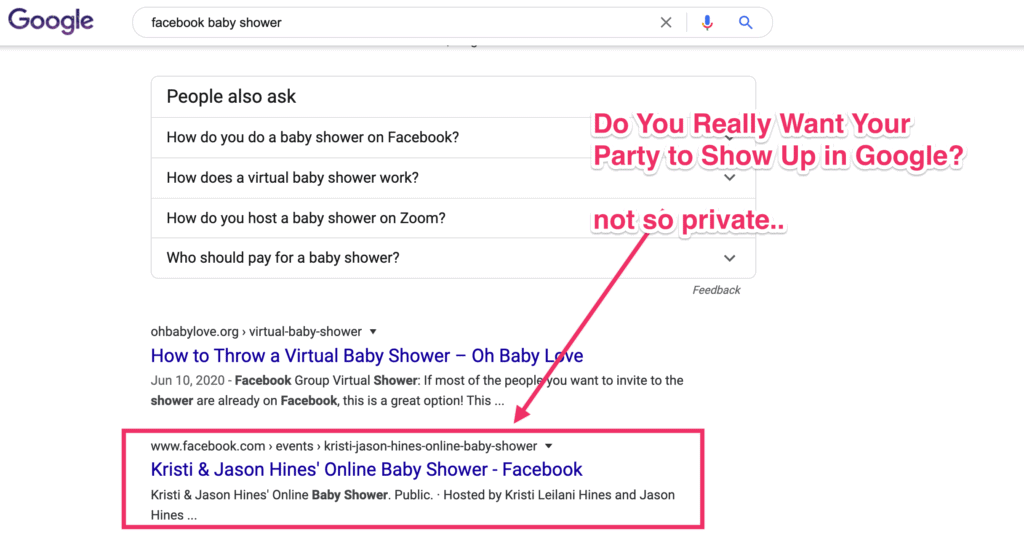
A Facebook Baby Shower seems simple enough, right?
But wait. Are you absolutely positive your settings are fully set to “private?” And what about Great Grandma Margaret who barely knows how to browse the internet, much less join (and interact at) a custom Facebook event?
That’s where WebBabyShower comes in! Our service offers the ease and convenience of a Facebook Baby Shower, but with more features to put your online shower over the top. WebBabyShower guarantees your baby shower will be easy, private, and, most of all, fun! From interactive timelines to private video and photo galleries, a WebBabyShower will make you wonder why anyone wouldn’t host their next shower online! The team also offers tech-assistance for those less-than-tech-savvy but oh-so-adorable older relatives who wouldn’t miss such a special occasion for the world. Check out all of what WebBabyShower can do for you here.
How To Create A Facebook Event
To create a private Facebook event on your computer:
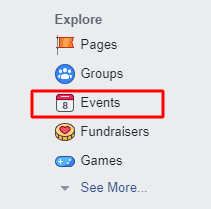
1. From your News Feed, click Eventsin the left menu.
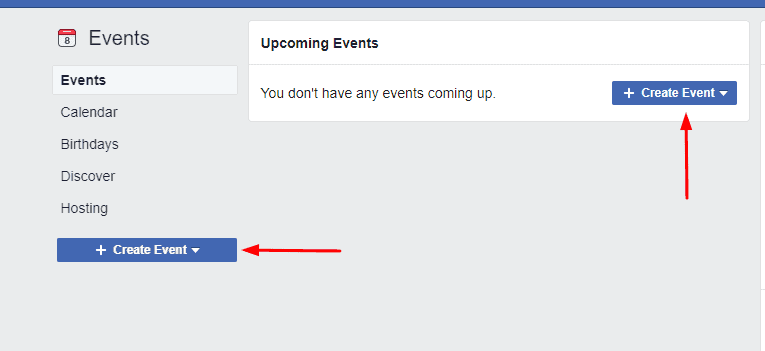
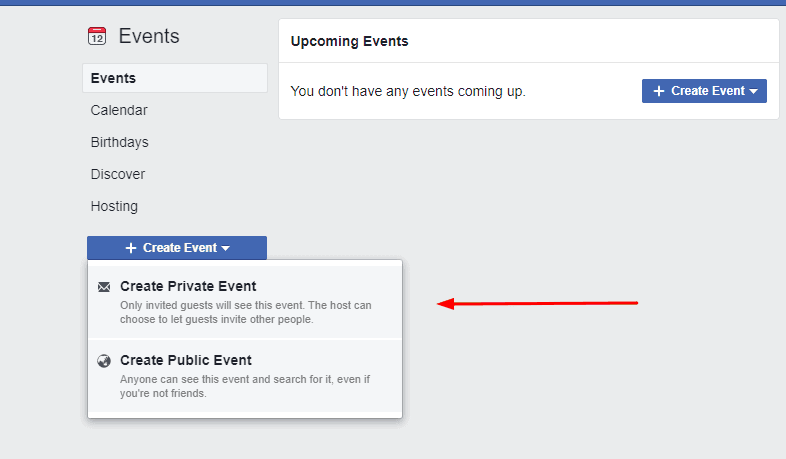
2. Click + Create Eventon the left side.
3. Click Create Private Event. Only invited guests will see your event. Once you’ve created a private event, you won’t be able to change it to public later.
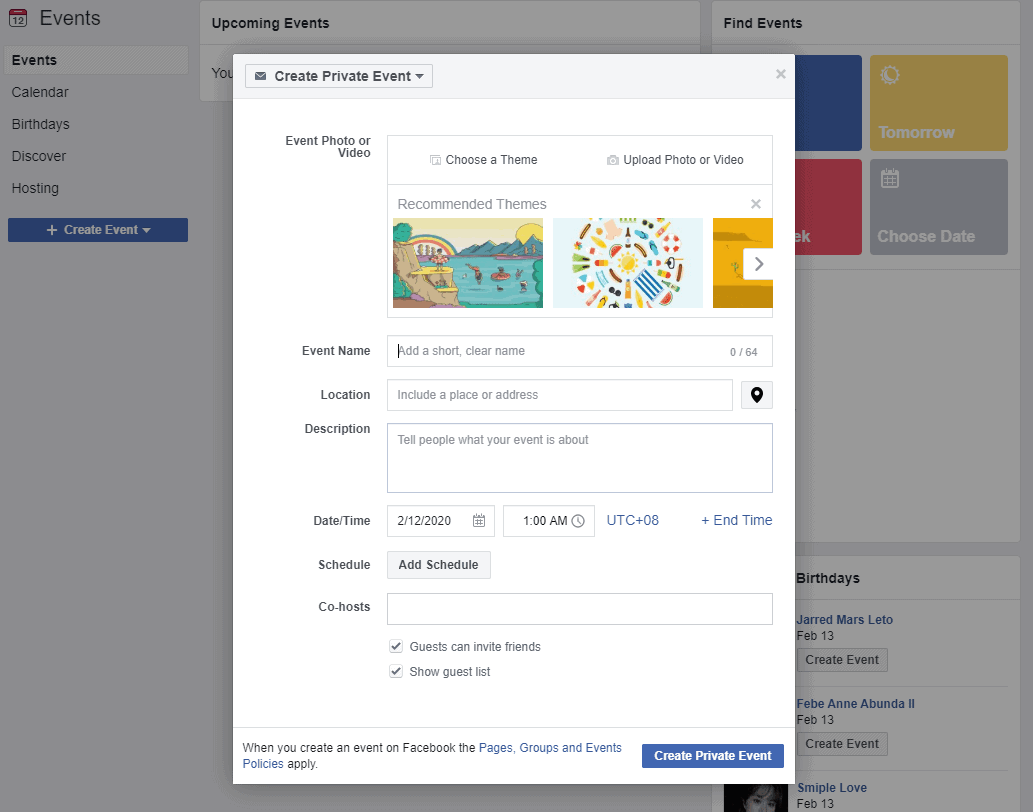
4. Fill in the event name, location, date, time and description.
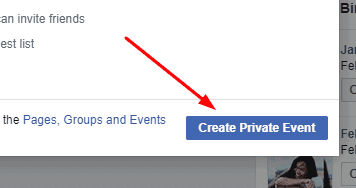
5. Click You’ll be taken to your event where you can invite guests, upload photos, add a cover photo or video, share posts and edit event details.
To create a public Facebook event on your computer:
1. From your News Feed, click Eventsin the left menu.
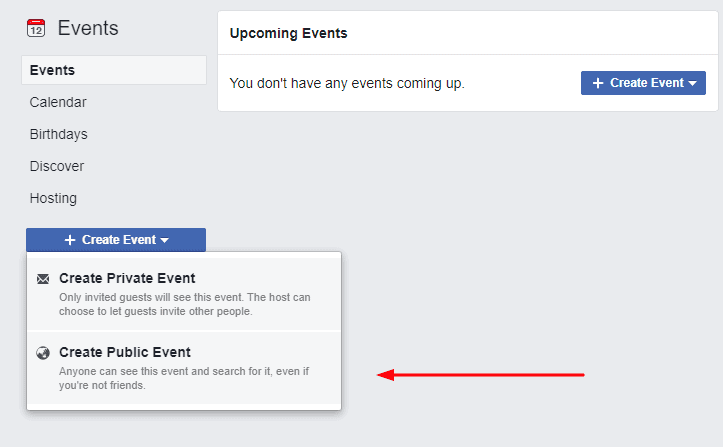
2. Click + Create Eventon the left side.
3. Click Create Public Event. Anyone will be able to see your event and search for it, even if you aren’t friends. Once you’ve created a public event, you won’t be able to change it to private later.
4. Fill in the event name, location, date, time and description.
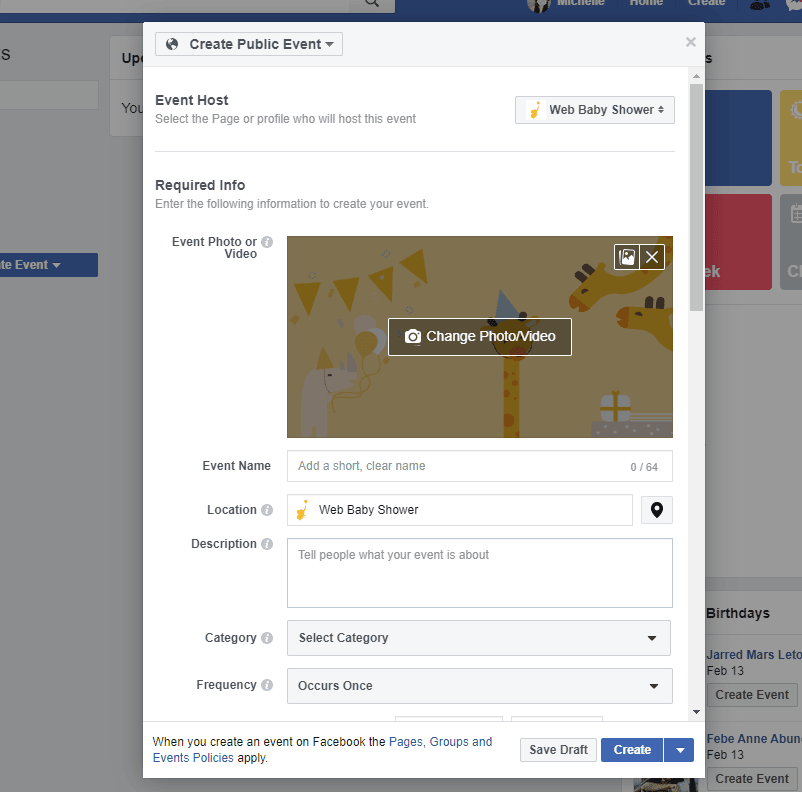
5. Type and select keywords about your public event so it can be better recommended to people who are interested in that topic (example: Food festival).
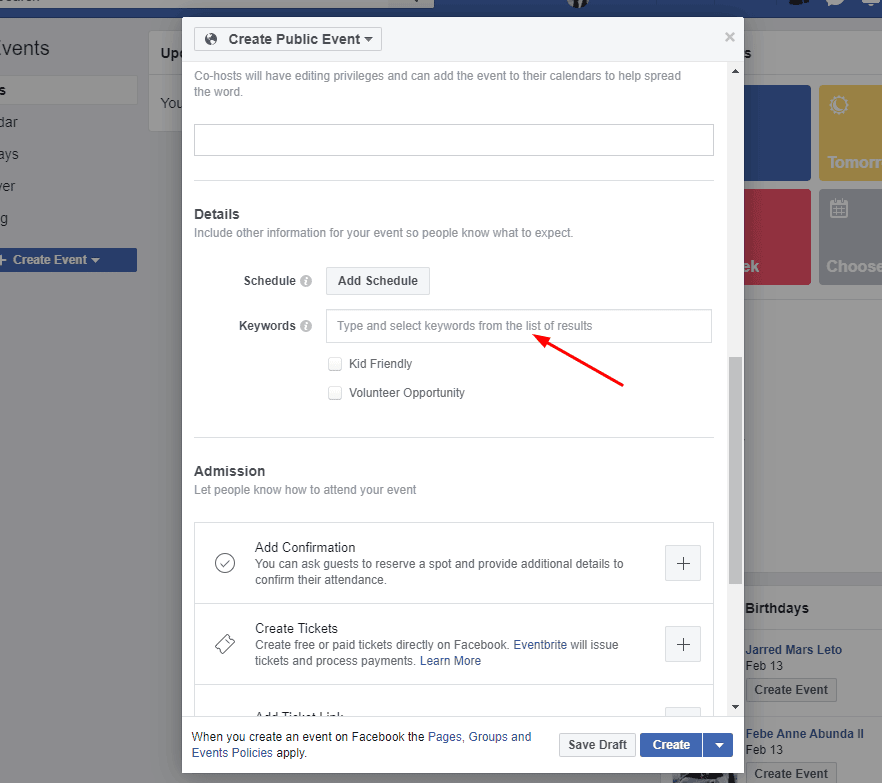
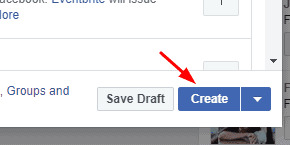
6. Choose who can edit and post in your event and then click You’ll be taken to your event where you can invite guests, upload photos, add a cover photo or video, share posts and edit event details.

Sources/References:
- https://www.tomsguide.com/us/facebook-messenger-video-call-how-to,news-20830.html
- https://www.statista.com/statistics/264810/number-of-monthly-active-facebook-users-worldwide/
- https://www.treatswithatwist.com/2015/10/how-to-throw-a-virtual-baby-shower.html
- https://www.todaysparent.com/pregnancy/hosting-a-virtual-baby-shower/